Connect safely
Use the least access needed to read invoice records.
Start with CSV pre-scan or demo data. When you connect Stripe or PayPal, use sandbox or restricted read-only access first.
Invoice Guard HQ reviews invoices. It does not approve payments, issue refunds, move funds, or need broad provider credentials.
Use test mode or a restricted key
For a pilot, start with test mode. For a safer real-data review, create a restricted key that can read invoices only.
What to paste
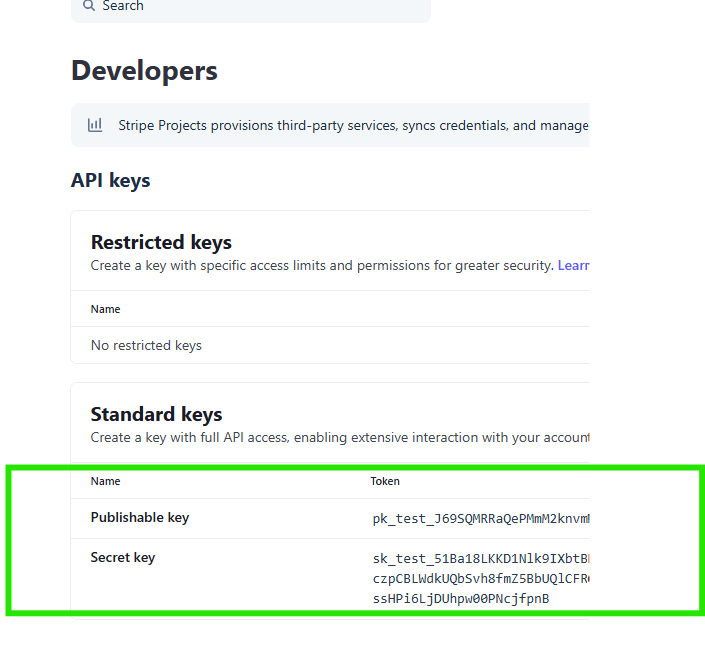
sk_test_for quick test-mode validation.rk_test_or a restricted live key only after limiting it to invoice reads.- Never paste publishable keys; they cannot import invoices.
- Do not use unrestricted live keys for normal testing.
Use a sandbox Merchant REST app
Use a sandbox merchant app for testing. The sandbox app should belong to the same sandbox business account that owns the test invoices.
Setup steps
- Open PayPal Developer and switch Apps & Credentials to Sandbox.
- Create a Merchant app.
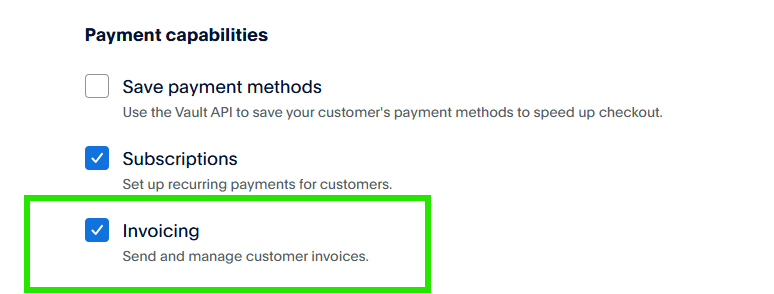
- Enable Invoicing or Send and manage customer invoices.
- Copy the Client ID and Secret.
- Connect PayPal in Invoice Guard HQ using
CLIENT_ID:SECRET.
FX checks use exchange-rate data, not money access
FX Intelligence compares invoice currency, domestic currency, saved rate snapshots, and configured thresholds. It does not need Wise keys, Airwallex keys, bank access, or payment authority.
What Invoice Guard HQ does not need
| Credential | Status | Reason |
|---|---|---|
| Provider passwords | Never | OAuth, sandbox apps, or restricted keys are the safer path. |
| Payment approval access | Never | The product reviews invoices; it does not approve them. |
| Refund or payout permission | Never | Refunds and payouts are outside product scope. |
| Unrestricted live keys | Avoid | Use restricted access unless a controlled pilot explicitly requires otherwise. |